Gurls, I’m a BIG fan of Pinterest and use it every day, so I was surprised recently to learn how many of my followers don’t use it. You know I love sharing good things with you and Pinterest is definitely a GOOD THING. I’m going to break it down for you. Welcome to Tania’s Pinterest Class 101! lol
First things first – What Is Pinterest?
Imagine you have a room in your house and that on every wall are bulletin boards. On one, you have all of your dessert recipes, on another, DIY projects you want to try, and on another, pictures of outfits you like, (mine of course). Anytime you want to find that favorite cake recipe, you just go to your board and look at it. Now imagine that not only do you have bulletin boards with your favorite things, so do your friends! And influencers! And Celebrity Chefs. And the best thing, they all want to share them with you. That’s Pinterest in a nutshell. Only instead of a room with boards, you have digital versions online.
Years ago, if you found a recipe online, you either had to bookmark the site, or print out the recipe and stuff it into your cookbook. Now when you see a recipe you like, you can “pin” it to one of your boards in seconds. Let me show you just how easy it really is.
Step One: Create a Pinterest Account
Go to Pinterest.com and sign up. It’s really easy and FREE. You can decide on a username/password, or if you’re logged in to Facebook, it will give you the option to sign up with that. Either is fine!
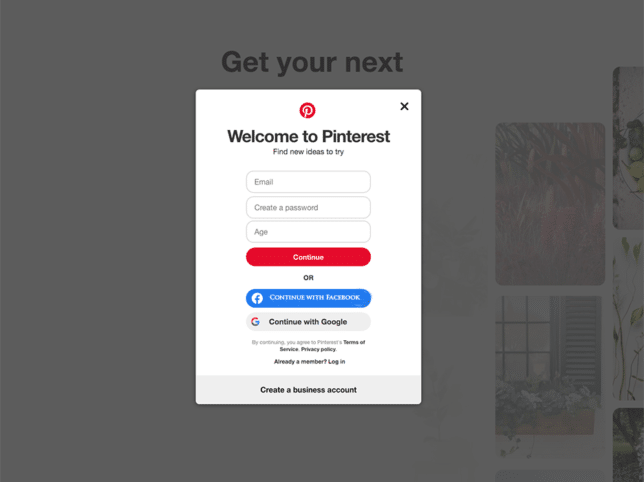
Once you’ve signed up, (don’t forget to check email and verify your account) Pinterest will ask you to pick 5 categories of interest. Don’t overthink it. Just quickly choose 5 and move on. Pinterest just uses these to populate your home page when you log on.
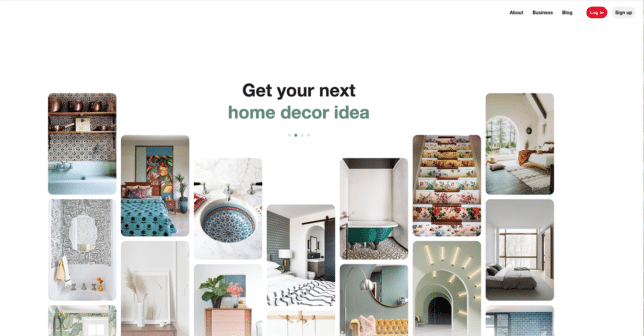
You’ve got an account. Now what?
Searching On Pinterest
One of the great things about Pinterest is it serves as a terrific search engine. Let’s say you want to make a pound cake. In the search bar, simply write pound cake recipe.
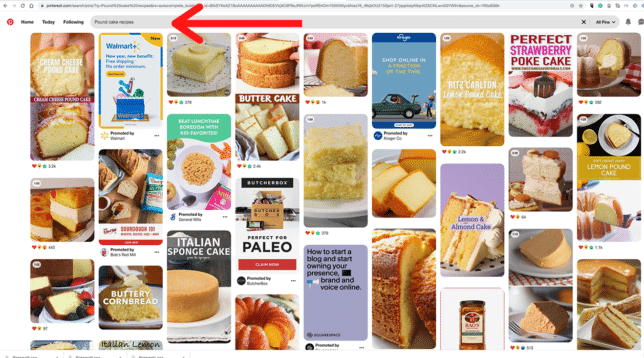
Voila! You now have a ton of recipes at your fingertips.
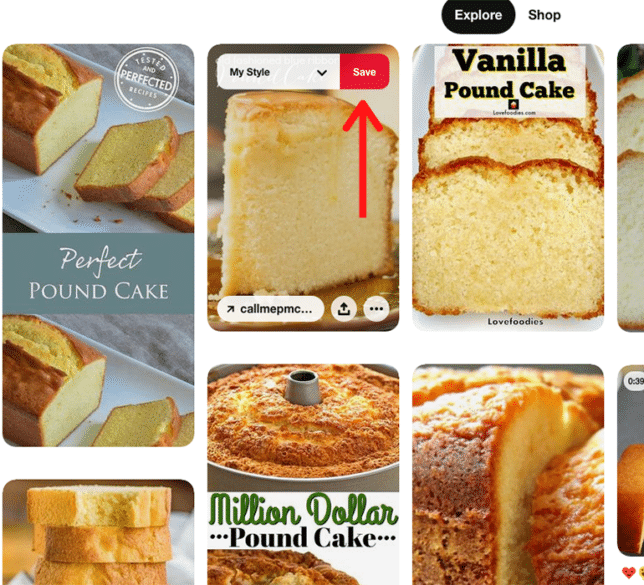
If you’re in a hurry, you can “SAVE” the recipe for later, or click on the photo and go straight to the website where it’s located.

Let’s say we’re in a hurry and want to save it. Since I’m new, I don’t have any boards created yet. I simply click SAVE and then CREATE BOARD. You can name it whatever makes sense – Sweet Recipes, Cakes, etc. Easy Peasy.
Now, the next time I find a dessert I like, when I click SAVE, a list of my created boards will show up and I get to choose which one I want.
The search bar is a great way to find ideas and content, but here’s another, easier way. You can FOLLOW your friends, influencers, etc., and see all of their pins! I would love for you to follow me!
Following Others On Pinterest
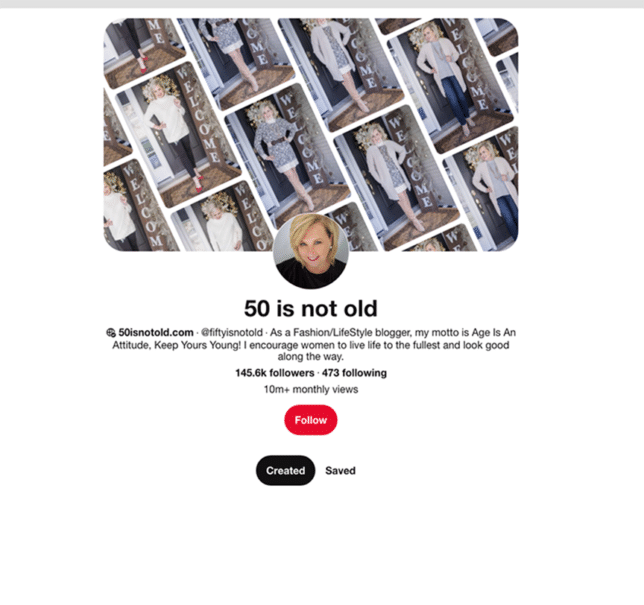
In the search bar, type 50 is Not Old. My profile will appear and all you have to do is click FOLLOW. Next, click the SAVED button on my profile and you’ll see all of the boards I’ve created. Some are focused on fashion but I have others – recipes, decorating ideas, etc.
If you click on the CREATED button on my profile, you’ll see all the pins I’ve created. You can click on any picture you like to save it to your own board.

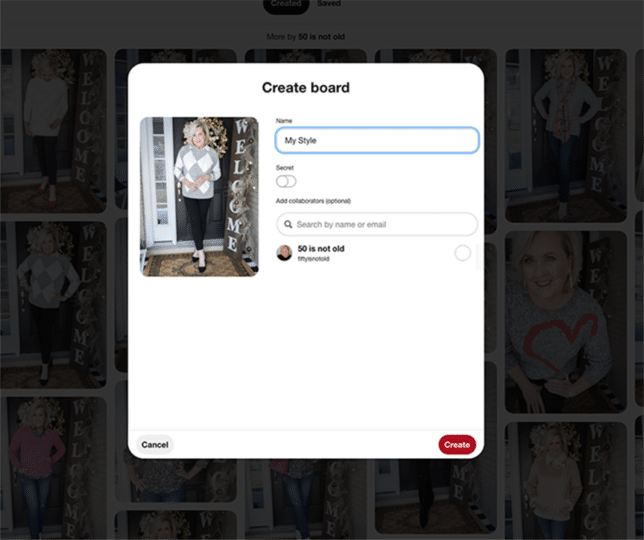
And again, Pinterest gives you the option to save it to a board you’ve previously created or to create a board right then and there.
Internet Surfing and Pinning
Here’s another way to use Pinterest that I think will really make you happy. Let’s say you’re on 50 Is Not Old and you see a fabulous outfit that I’ve put together. (Oh, please let’s say that!). If you move your cursor across the photo you’ll see the Pinterest P in the corner.
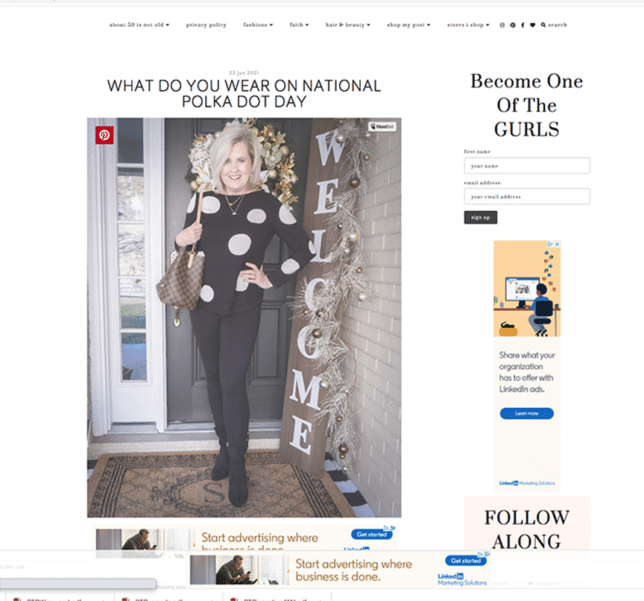
Click on it and it brings up your Pinterest boards right there! You can pin it without ever leaving my site. Didn’t I tell you Pinterest was awesome!

Now that you know what it does, you’ll see these P’s everywhere. No more having to print out recipes or bookmark pages. You can pin all of the fun things you see and want to remember, easily.
TIP: To see your boards, click your profile picture (circle photo, top right) and you’ll be able to access all the fun boards you’ve created.
Because I am always on my computer, I visit Pinterest online, but there’s also an app. Simply download the Pinterest app to your phone and sign in and you can have Pinterest with you everywhere you go. Getting a new haircut? Pull up your Pinterest app and show your hairdresser your Cute Hairstyles board.
I hope this has Pinterest tutorial has helped. The best way to figure it out is to just jump in and play. Be sure to comment on what are your favorite boards! Good luck!